
For an online store selling into the UAE, Saudi Arabia or Kuwait, TikTok ads are one of the fastest ways to put a product in front of people who were not looking for it yet. They are also one of the fastest ways to burn a budget, if you treat them like banner ads or run a polished, TV-style spot that screams “advert” in the first frame.
This guide is written for store owners and in-house marketers in the Gulf. It covers how TikTok ads pricing really works (it is an auction, not a rate card), the minimum budgets TikTok publishes, how to set up a campaign in TikTok Ads Manager, which ad formats suit e-commerce, how to target without strangling delivery, and what kind of creative earns attention on the platform.
You will also find a comparison table of formats, a section on Gulf specifics such as Ramadan and White Friday, the mistakes we see most often and how to fix them, a launch checklist, and an FAQ. Every number below comes from an official TikTok for Business help page that we link to. Where no official number exists, we explain what drives the cost instead of guessing.
What are TikTok ads, and why do Gulf stores use them?
TikTok ads are paid placements inside the TikTok app. Most of them are vertical videos that appear between organic videos on the For You feed. The key difference from search advertising is intent: people are not shopping when they open TikTok, they are being entertained. Your ad has to earn attention first, then make a case, then send people to buy.
For an e-commerce brand, TikTok ads bring three clear benefits. You can introduce products people did not know they needed, show the product in real use rather than in a static photo, and build trust through faces and voices that look and sound like your customers. Products that are easy to understand on camera, such as fragrance, skincare, fashion, accessories and kitchen gadgets, usually benefit most.
TikTok is not a replacement for every channel. Search ads capture people who are already looking; TikTok creates demand. A mature store runs both and judges each channel fairly, which is what we cover in our guide to ROAS and break-even ROAS.
How TikTok ads pricing works: auction and budgets
There is no fixed price list for TikTok ads. Delivery runs on an auction: every time someone opens the app, eligible ads compete for that impression. According to TikTok’s help page on bidding strategies (checked October 2026), ads are ranked by bid amount and by how relevant they are to the user.
That means your cost is not something the platform quotes in advance. It is the result of moving parts: how many advertisers want the same audience, the season, how good your video is and how people react to it, how well your pixel is set up, and which country you target. That is why we do not give you a single CPM figure; any such number changes from account to account and from week to week.
Minimum budgets, according to TikTok’s help centre
TikTok’s help page on budgets (checked October 2026) shows these minimums in US dollars:
- A campaign daily or lifetime budget must exceed $50.
- An ad group daily budget must exceed $20.
- An ad group lifetime budget must be at least the number of scheduled days multiplied by $20, so a 31-day ad group needs at least $620.
The same page makes two practical points. You cannot switch between daily and lifetime budget types once a campaign or ad group is live, and the campaign budget should not be lower than the ad group budget, because that can cause delivery problems. These limits can change and may be shown differently in other account currencies such as AED or SAR, so confirm them inside Ads Manager before you plan.
Bidding: Maximum Results or a target cost?
The bidding page describes two main strategies. Maximum Results tries to get as many results as possible within your budget, without aiming for a specific cost per result, so expect some day-to-day fluctuation. Target cost per result lets you set the cost you want; the system aims for it, and the actual figure may land somewhat above or below.
Our practical advice for new TikTok ads accounts: start with Maximum Results until the account has real purchase data, then test a target cost once you know what a sale can cost while still leaving a margin. Work that number out before you type anything into Ads Manager; our ROAS calculator shows the return you need to break even.
The learning phase: do not judge on day two
TikTok also notes that performance can fluctuate before a conversion campaign leaves the learning phase, and CPMs may be higher during it. The classic mistake is seeing an expensive first day, changing everything, and sending the ad group back to the start. Give it enough time and budget, and change one thing at a time.
How to read results in the first weeks
Do not judge on one metric. The six-second view rate tells you whether the hook works. Click-through rate tells you whether the offer is convincing. Cost per add-to-cart and cost per purchase tell you whether the page, product and price line up. Strong views with weak clicks point to the message or call to action; strong clicks with weak purchases point to the product page or shipping.
Compare ads within the same ad group rather than across campaigns with different objectives. Pause the weakest ad only after it has had a fair share of impressions, then replace it with a new version that changes a single element, such as the hook, the opening shot or the sound, so you learn what made the difference.
How to run TikTok ads: campaign setup in 7 steps
If you are asking “how to use TikTok Ads Manager” for the first time, this is the practical route. TikTok’s help page on ad structure describes three levels: campaign, ad group and ad. Objective and budget sit at campaign level; targeting, schedule, optimisation goal and bidding sit at ad group level; video, text and call-to-action button sit at ad level.
- Create a business account and an ad account. Sign up to TikTok for Business and choose country, currency and time zone carefully, because some of these are hard to change later.
- Install the pixel before spending. Without a working pixel the system cannot tell who bought, and your campaign will optimise for clicks instead of sales. More on this in the measurement section.
- Pick the right objective. TikTok groups objectives into awareness (Reach), consideration (Traffic, Video views, Community interaction) and conversion (App promotion, Lead generation, Sales). For a store, Sales is the default.
- Set budget and schedule. Start with a daily budget comfortably above the minimum so the system can gather data, and do not split it across many tiny ad groups.
- Define targeting. Country, language and age first, then keep the audience fairly broad, as explained below.
- Upload 3 to 5 different videos. TikTok’s creative best-practice page suggests 3 to 5 creatives per ad group and 3 to 5 diversified ad groups per campaign.
- Review, launch, then wait. Check the landing page URL, the currency and the pixel events in test mode, then launch and avoid edits until enough data has come in.
Which objective should a store choose?
TikTok’s page on choosing an objective describes Sales as selling products from your TikTok Shop, website or app. For a store on Shopify, Salla or Zid, the logical choice is Sales to your website, optimised for the purchase event. A Traffic objective usually buys cheaper clicks, but it finds people who like clicking, not people who like buying, and you pay for that difference later.
If your account is brand new and the pixel has no recorded purchases, you might optimise for a higher-funnel event such as add-to-cart for a short period, then move to purchase once data builds up. Treat that as a temporary step, not a strategy.
TikTok ads formats that suit e-commerce
Not every format on the platform is available or sensible for every advertiser. Small and mid-sized stores mostly work with two auction formats: standard In-Feed ads and Spark Ads. Reserved premium formats such as TopView are usually bought in advance and suit large brands around big launches.
In-Feed ads
This is the core format of TikTok ads: a video between For You videos with a display name, caption and call-to-action button. According to TikTok’s In-Feed ad specifications (checked October 2026), vertical 9:16 is recommended, the minimum resolution is 540×960 px, videos can run up to 10 minutes, and files can be up to 500 MB.
The same page says ad captions cannot contain clickable links, “@” symbols or hashtags, and that the display name shows on one line with a 20-character limit for languages such as English and Arabic. Keep the caption short and supportive; the video has to carry the offer on its own.
Spark Ads: boosting a real post
TikTok’s Spark Ads FAQ describes Spark Ads as a native format that lets you use organic TikTok posts in your advertising, either from your own account or from a creator who authorises the post with a code. Views, likes, comments, shares and follows gained during the promotion are attributed to the original organic post.
Why that matters: Spark-based TikTok ads look like a normal post, with a real account and real comments, so it feels less like an interruption. The FAQ also states a 10-minute maximum for sparked videos and a cap of 10,000 Spark Ads per Ads Manager account. For Gulf stores that work with creators, Spark is often the best place to start.
Format comparison
| Format | When to use it | Strength | Trade-off |
|---|---|---|---|
| Standard In-Feed | Your own edits or product montages | Full control of caption, button and name | Looks more like an ad; engagement does not build your profile |
| Spark from your account | A post that did well organically | Real social proof; engagement returns to your account | Needs an active account with decent organic content |
| Spark from a creator | Partnership with a Gulf creator | The creator’s audience trust and dialect | Depends on authorisation length and a clear agreement |
| Reserved formats (TopView and others) | Major launch or peak season | Large reach in a short window | Upfront booking and cost that rarely suit small stores |
TikTok ads targeting: start broad
TikTok’s page on targeting dimensions lists demographics, audiences (custom and lookalike), advanced targeting by interests and behaviours, device type, and smart targeting. Selections within the same dimension work with OR logic; selections across dimensions work with AND logic.
TikTok’s targeting best practices recommend starting with a fairly broad audience, and report that in TikTok’s data broad audiences achieved lower cost per action and higher conversion rates on average than narrower ones. The page also warns that an audience set too narrow can struggle to exit the learning phase and speeds up creative fatigue.
What that looks like in the Gulf
- Country first: give each country its own ad group or campaign if prices, shipping or dialect differ. KSA, the UAE and Kuwait behave like different markets.
- Age and gender: narrow them only when the product genuinely requires it.
- Interests: use them as a starting signal, not a fence, and let smart targeting expand when it expects better results.
- Custom audiences: site visitors, people who added to cart but did not buy, and your customer list, for retargeting and exclusions.
- Lookalikes: build them from buyers rather than all visitors; a cleaner seed gives a better audience.
Retargeting cart abandoners works best when the store itself is ready to close the sale, which we cover in our abandoned cart recovery guide.

Creative that works: the best TikTok ads strategy starts with the video
On TikTok, performance is decided in seconds. TikTok’s creative best practices list the basics: use sound or music, shoot vertically at 9:16, at least 720p, and keep key content inside the UI safe zone so the app’s buttons do not cover it. The page also advises putting your hook in the first 6 seconds to lift engagement and watch time.
Hooks: the first seconds decide everything
The hook is what stops the scroll. Patterns that usually work in TikTok ads for stores:
- A direct problem question: “Does your perfume fade after an hour?”
- Result before explanation: show the product working before anyone speaks.
- A common objection: “People told me online orders never look like the photos…”
- A quick comparison: before and after, or your product against the usual alternative.
- A real unboxing from your store, without dramatic music or studio lighting.
Native content, not a TV spot
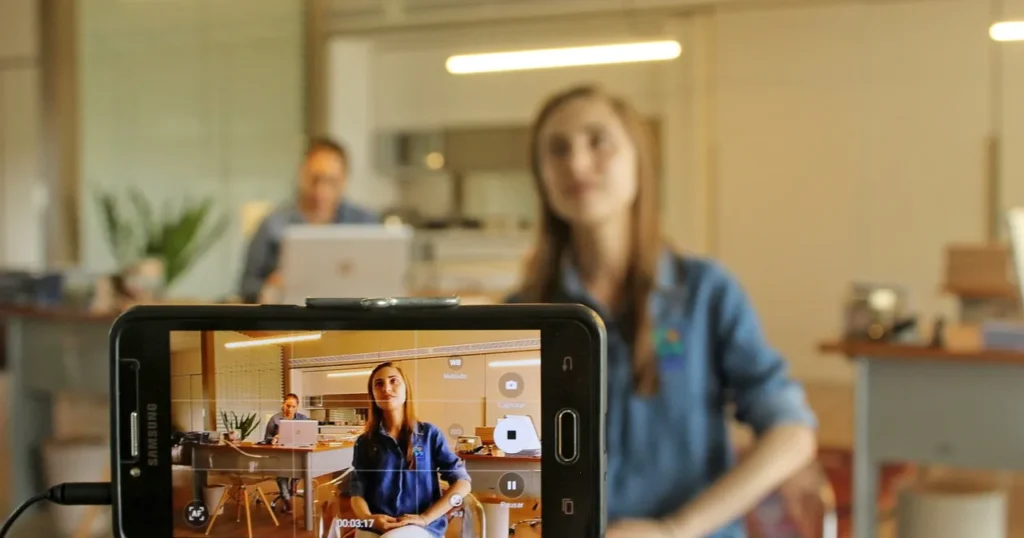
The best TikTok ads examples rarely look like ads. Shoot on a phone, in natural light, with a person talking to the camera as they would to a friend. Quick cuts, on-screen text and burned-in captions help people watching with the sound off. End with a clear call to action: what should the viewer do now, and why today?
Arabic creators and Gulf dialects
In TikTok ads, a Saudi audience trusts a Saudi voice, and a Kuwaiti viewer picks up the Kuwaiti dialect instantly. A creator from the same market, even one with a modest following, gives the ad credibility that a formal Arabic voiceover cannot. Agree in advance on the Spark authorisation period, reuse rights and the number of versions with different hooks.
For your TikTok ads, ask each creator for 3 different openings to the same video. The gap between a winning and a losing ad is often only the first seconds, and testing openings is far cheaper than shooting a new video. For the UAE, consider an English version too, run in its own ad group.
When to refresh creative
TikTok does not set a fixed interval for refreshing TikTok ads. Its guidance is to refresh ad group creatives when delivery shows a consistently declining trend or when daily new users reached are low. In practice, have the next batch of videos ready before you need it rather than waiting for performance to collapse.
The TikTok Pixel and Events API, briefly
According to TikTok’s pixel setup page (checked October 2026), the TikTok Pixel is a piece of code on your website that shares website events with TikTok. The Events API is a server-side connection between your marketing data and TikTok, covering web, app and offline channels. TikTok explicitly recommends setting up both together to maximise measurement.
You can connect through a supported partner such as Shopify or Google Tag Manager, or manually by installing the base code and configuring events. The standard events that matter most for stores are ViewContent, AddToCart, InitiateCheckout, AddPaymentInfo and Purchase. On Salla or Zid, check your platform’s app store or marketing settings for the current TikTok integration, then confirm the purchase event fires once, with the correct value and currency.
This section is deliberately short, but without clean tracking your TikTok ads optimise blind. Setting up the pixel and Events API, de-duplicating events and reconciling numbers with your store dashboard is detailed technical work, and it is part of our analytics and conversion tracking service.

Gulf specifics: KSA, UAE, Kuwait and the seasons
For TikTok ads, the Gulf is not one market. What works in Riyadh may not land in Dubai, and a line in Kuwaiti dialect can sound odd in Jeddah. These points come up again and again when working with stores in the region.
Saudi Arabia
KSA is large and varied, so it often makes sense to split campaigns or ad groups by city when shipping or offers differ. Saudi dialect in the video, prices in SAR, clear delivery times and cash on delivery where you offer it all reduce hesitation. Plan around local moments such as Saudi National Day on 23 September and Founding Day.
UAE, Kuwait and Qatar
The UAE audience is multinational, so you may need an Arabic and an English version of the same ad, in separate ad groups by language. Show prices in AED, and be clear about delivery times inside and outside the emirate you ship from. Kuwait is a smaller market where local creators and the Kuwaiti dialect tend to move decisions faster.
Ramadan, White Friday and peak seasons
During Ramadan, viewing and buying habits shift and activity moves later into the evening after iftar, so review ad scheduling and how budget is spread across the day instead of leaving it unchanged. Creative needs adjusting too: a calmer tone, and offers tied to Eid and gifting. Auction competition usually rises around White Friday, so prepare and test creative weeks before the season starts.
Policies and cultural fit
TikTok ads policies vary by country and product category, and some categories are restricted or prohibited, so check the policies for your target countries before you shoot. Respect local norms in clothing, music and messaging; a rejected ad or one that attracts negative comments costs more than a reshoot.
Common TikTok ads mistakes and how to fix them
- Reposting an Instagram ad unchanged. Fix: shoot vertically in TikTok’s language, with a clear hook and sound, instead of recycling the same design.
- Launching without a working pixel. Fix: test events in Events Manager before the first dirham is spent, and confirm Purchase arrives with its value.
- Targeting too narrow. Fix: widen the audience and let the creative find the buyers, as TikTok’s targeting guidance recommends.
- One video per ad group. Fix: 3 to 5 videos with different hooks, as TikTok suggests.
- Judging a campaign after one day. Fix: let the learning phase finish, and change one variable at a time.
- A slow or unconvincing landing page. Fix: the ad brings the visitor; the page sells. Page speed and clear pricing, shipping and returns decide the order.
- Treating platform numbers as the truth. Fix: compare sales attributed in Ads Manager with real store orders, and calculate real return as in our ROAS guide.
- Ignoring comments. Fix: answering questions under Spark Ads builds trust and surfaces objections that make good hooks for the next video.
Pre-launch checklist
- Business account and ad account with the right country, currency and time zone.
- Pixel installed, with ViewContent, AddToCart, InitiateCheckout and Purchase firing in test.
- Events API live or scheduled, with de-duplication in place.
- Sales objective selected, with an optimisation event that matches your data volume.
- Campaign budget at or above the ad group budget, both above the published minimums.
- A fairly broad audience, excluding existing buyers where it makes sense.
- 3 to 5 vertical videos with an early hook, sound and text inside the safe zone.
- A fast landing page with clear price, currency, payment options and shipping.
- A creative refresh plan ready before peak seasons.
- An agreed way to measure: what return means profit for your store?
Best TikTok ads settings: a sensible starting point
There is no universal preset for the best TikTok ads settings, but a sensible starting point for most Gulf stores looks like this: a Sales objective optimised for purchase (or add-to-cart while the pixel is new), Maximum Results bidding, a daily budget comfortably above the minimum, one ad group per country with broad targeting and smart targeting on, and 3 to 5 native videos per ad group. Change one variable at a time from there.
Conclusion: TikTok ads reward patience and good video
TikTok ads are not a sales machine that starts the moment you top up the account. They are an auction that rewards videos people actually watch, a pixel that tells the system who bought, and targeting that leaves the algorithm room to learn. Start above the minimum budget, with a Sales objective and native creative in your audience’s dialect, and measure against real orders rather than views.
If you would like us to review your account or build a campaign and content plan for KSA, the UAE and Kuwait, see our paid advertising service. If you are comparing platforms, our guide to Snapchat ads covers the other big short-video channel in the Gulf.
FAQ
How much do TikTok ads cost?
There is no fixed price; costs are set by the auction and depend on competition, audience, season and creative quality. What is fixed is the minimum budget: according to TikTok’s budget help page in October 2026, a campaign budget must exceed $50 and an ad group daily budget must exceed $20. Check the figures in your own account, as they can change.
How do I run TikTok ads for my online store?
Create a business account, install the pixel, then in TikTok Ads Manager choose the Sales objective, set a budget, choose country and audience, upload 3 to 5 vertical videos, review and launch. The seven steps above go into detail.
What is TikTok Ads Manager used for?
It is the platform where you create, manage and report on campaigns. It has three levels: the campaign for objective and budget, the ad group for targeting and bidding, and the ad for video and text.
Are TikTok ads worth it for small stores?
They can be. TikTok ads suit small stores when the product is easy to understand on camera and you can produce simple videos regularly. A small store does not need a huge budget, but it does need patience through the learning phase, a working pixel and a convincing product page.
What is the difference between In-Feed ads and Spark Ads?
A standard In-Feed ad is a video you upload directly in Ads Manager, with full control of caption and display name. A Spark Ad uses a real post from your account or a creator’s account with their permission, and engagement is attributed to the original post, so it feels closer to organic content.
How do I set up the TikTok pixel on Shopify, Salla or Zid?
On Shopify, TikTok lists Shopify as a partner setup option in Events Manager. On Salla or Zid, check the platform’s app store or marketing settings for the current integration, or use Google Tag Manager if supported. Either way, test events afterwards and confirm Purchase is recorded once with the correct value.
How do I pause TikTok ads?
In Ads Manager, switch off the campaign, ad group or ad with the toggle next to it. Pausing keeps your settings, but a long pause followed by a restart can send the ad group back into a new learning phase.