

WhatsApp marketing puts your store in the one app most Gulf shoppers open dozens of times a day. A message lands next to chats with family and friends, and it usually gets read. That closeness is exactly why it can backfire: one unwanted broadcast can get your number blocked or reported, and Meta may then limit how many people you can message.
This guide is written for online store owners selling in the UAE, Saudi Arabia, Kuwait, Qatar, Bahrain and Oman. It covers the three ways to use WhatsApp for business, the opt-in rules and anti-spam policy as Meta publishes them, how message templates are categorised, and how pricing works according to Meta’s official pricing documentation.
You will also get six ready-to-use message templates in English, a practical way to avoid blocks, the numbers worth tracking, and the mistakes we most often see stores make. Abandoned-cart flows are covered separately in our abandoned cart recovery guide, so we will not repeat them here.
What is WhatsApp marketing and why does it suit Gulf stores?
In practice, WhatsApp marketing means using WhatsApp as a structured channel across the whole purchase journey: a welcome after sign-up, order confirmation, shipping updates, back-in-stock alerts, seasonal offers for people who asked for them, and a review request after delivery.
The difference between WhatsApp marketing and email is that WhatsApp is a two-way conversation. Customers reply with questions about sizes, delivery slots or payment, so a promotional message can turn into a service conversation. That fits how many Gulf shoppers buy: they like to ask before they pay, and cash on delivery is still common in some segments, which means orders often need confirming before they ship.
The flip side is that WhatsApp marketing feels personal. People tolerate an unwanted ad on Instagram or Snapchat far more than an unwanted message in their chat list. So the success of any campaign starts not with the copy but with proper consent and the right tool for your size.
Your 3 options: the Business app, the Cloud API, or a provider
Before writing a single WhatsApp marketing message, choose the tool. Meta offers two main routes, and the second one can be taken directly or through a partner. The choice decides what you can send, how many people you can reach and how you are billed.
Option 1: the free WhatsApp Business app
The mobile app built for small businesses. According to the official Business app features page (checked October 2026), it gives you a business profile with hours and website, an automatic greeting for new customers, away messages outside working hours, saved quick replies, labels to organise chats, and a product catalogue with a cart customers can send as one message.
The same page lists Business Broadcasts for sending private one-to-one messages to several people at once, but notes they are only available to eligible users in select countries. It also mentions linking up to 10 devices and agents under Meta Verified. These features can change, so check the page before you plan around them.
The app suits a small store doing WhatsApp marketing by hand. Its limits are clear: no direct link to your store platform for automatic order confirmations, little reporting, and manual work that does not scale to a team.
Option 2: the WhatsApp Business Platform (Cloud API)
The platform is for businesses that want WhatsApp marketing at scale and automated. Meta describes the Cloud API as the way to message programmatically with text, media and interactive messages with buttons. This is where your messages get tied to store events: a new order, a dispatched parcel, an item back in stock.
You need a Meta business portfolio, which can be verified, a WhatsApp Business Account (WABA) and a dedicated phone number. Any message you start outside the customer service window has to be a pre-approved template, which we explain below. The docs note that a number can send up to 80 messages per second by default.
Option 3: a Business Solution Provider (BSP)
Most stores do not build the integration themselves; they use WhatsApp marketing software from a Meta partner. Per Meta’s Solution Partner documentation, Solution Partners offer the full service (onboarding, integration, support) and can extend a credit line and invoice you for API usage. Tech Providers instead ask you to add your own payment method with Meta and bill their own fees separately.
When people ask which is the best WhatsApp marketing platform, the honest answer is that it depends on your stack. Compare providers on more than the monthly fee: a ready integration with your store (Salla, Zid or Shopify), Arabic support in the shared inbox, read and click reporting, and whether they add a margin on top of Meta’s charges. Choosing the store platform itself is a separate comparison we cover elsewhere.
| Criterion | WhatsApp Business app | Cloud API (direct) | Via a BSP |
|---|---|---|---|
| Cost | App is free | Meta charges per delivered template | Meta charges plus provider fee |
| Automation | Greeting, away, quick replies | Full, via your own code | Full, via a ready interface |
| Store integration | Indirect | Needs a developer | Usually built in |
| Multiple agents | Limited | Through your own system | Shared team inbox |
| Best for | Small store starting out | Store with a tech team | Most mid-size stores |

Opt-in rules and WhatsApp’s anti-spam policy
This is the most important part of WhatsApp marketing. The WhatsApp Business Messaging Policy (last updated 23 September 2026 at the time of writing) says you may only contact people on WhatsApp if they have given you their number and you have received opt-in permission confirming they want to receive messages from you.
What the policy requires in practice
- You alone are responsible for your opt-in method and for following local law in each country you sell to.
- The policy is explicit: do not confuse, deceive, mislead, spam or surprise people with your communications.
- You must respect every request to block, stop or opt out, whether it comes on WhatsApp or off it, and remove that person from your list.
- If you use automation, you must offer a clear path to a human: an agent, phone, email or a support form.
- Your business profile must be accurate, include customer support contact details, and must not impersonate another business.
Where to collect WhatsApp marketing opt-in on your store
Meta’s opt-in documentation says consent can be collected on your website, by SMS, through an interactive voice call or on a paper form, as long as the request names your business and makes clear the person is agreeing to messages from you. It recommends separate opt-ins per message category, because unexpected messages are what lead people to block.
- Checkout: an unticked box such as “Send me order updates on WhatsApp”.
- A separate offers box: “Send me offers and new arrivals on WhatsApp”, kept apart from order updates.
- Out-of-stock product pages: a “Notify me” button that asks for the number for that purpose only.
- Click-to-WhatsApp ads: the customer starts the chat, and you can ask inside it whether they want future offers.
Commerce policy: what you cannot sell on WhatsApp
The policy also requires you to follow the Meta Commerce Policy. Some goods and services are prohibited outright, including weapons, drugs, adult products, multi-level marketing and payday loans, and some regulated categories are allowed only in listed countries. If you plan WhatsApp marketing in a sensitive category such as supplements or medical cosmetics, read the policy before launching anything.
WhatsApp marketing message templates and their categories
On the platform you cannot open a conversation with a free-form message. Anything you initiate, or send after the customer service window closes, must be a template that Meta has reviewed and approved. Review is automated and can take up to 24 hours.
According to Meta’s template categorisation guidelines, each template has exactly one of three categories:
- Marketing: offers, discounts, new product or store announcements, retargeting, anything with promotional intent. Mixed or unclear content also counts as marketing.
- Utility: non-promotional messages tied to something the customer did or asked for, such as order confirmations, shipping updates and refund notices. A feedback request only qualifies if it relates to a specific order.
- Authentication: one-time passcodes only, built from Meta’s template library with a copy-code or one-tap button.
Do not hide an offer inside a shipping update
A common WhatsApp marketing mistake is adding “use this code on your next order” to a shipping message. Meta’s guidelines say order-management messages must not include upsells or offers. Since 9 April 2025, utility templates that Meta judges to be marketing are approved as marketing, and repeated misuse can lead to temporary restrictions on the account.
WhatsApp Business API cost: how Meta charges
According to Meta’s pricing documentation (checked October 2026), Meta moved from conversation-based pricing to per-message pricing on 1 July 2025. You pay for a template message when it is delivered, not when it is sent. The rate depends on three things: the template category, the recipient’s country calling code, and your monthly volume tier.
- Free-form replies inside the customer service window are free. When a customer messages you, a 24-hour window opens and you can reply without charge.
- Utility templates inside that window are also free, for example sending a shipping-update template when the customer asks where the order is.
- Free entry point: if a customer starts the chat from a click-to-WhatsApp ad or a Facebook Page button on mobile and you reply within 24 hours, a 72-hour free window opens that covers templates too.
- Volume tiers: utility and authentication rates drop as monthly volume grows, and the count resets at the start of each month.
We will not quote a per-message rate because it changes. Rate cards are published in 16 currencies including AED and SAR; the current cards took effect on 1 July 2026, Meta says it only updates pricing on the first day of a quarter, and a further update is scheduled for 1 October 2026. To see the exact rate for the UAE or Saudi Arabia, use the calculator on the platform pricing page.
Your real bill is Meta’s charges plus any provider subscription. So when someone asks how much WhatsApp marketing costs, the answer is driven less by haggling with providers and more by sending fewer, better-targeted messages: a clean list, an interested segment and utility messages that arrive on time.
Daily messaging limits for WhatsApp marketing
Per Meta’s messaging limits documentation, new business portfolios start at 250 unique users in a rolling 24 hours outside the service window. The limit rises to 2,000 after business verification or after 2,000 high-quality delivered messages within 30 days, then scales automatically to 10,000, 100,000 and unlimited as long as quality stays high and you use at least half your limit. The limit is shared across all numbers in the portfolio.
6 ready-to-use WhatsApp templates for online stores
These WhatsApp marketing messages are examples we wrote for you to adapt to your brand voice. Text in square brackets is a variable filled automatically; on the platform these become numbered or named parameters. Keep messages short, open with your store name and use one clear button. For Gulf audiences, prepare an Arabic version of each and let customers choose their language at opt-in.
1. Welcome message
Expected category: marketing if it contains an offer, or a free-form reply if the customer started the chat.
Hi [Name], thanks for subscribing to [Store] updates on WhatsApp. We will only send your order updates and the offers you chose to receive. Browse the latest arrivals with the button below. Reply STOP at any time to unsubscribe.
2. Order confirmation
Expected category: utility. Keep any offer out of it.
Hi [Name], we have received your [Store] order [Order number] for [Amount]. Payment method: [Payment]. We will message you when it ships. To change the address or cancel before dispatch, tap the button below.
For cash-on-delivery orders, add two buttons: “Confirm order” and “Cancel”. This reduces orders refused at the door, a problem every COD store in Saudi Arabia and the UAE knows well.
3. Shipping update
Expected category: utility.
[Name], your order [Order number] is out for delivery with [Courier]. Expected: [Date]. Track it with the button below. If you will not be available, reply to this message and we will arrange another slot.
4. Back in stock
Expected category: usually marketing, because its aim is a sale even if the customer asked for it. Send it only to people who tapped “Notify me”.
Good news, [Name]: [Product] in size [Size] is back in stock at [Store]. You asked us to let you know, and quantities are limited. Order it with the button below.
5. Seasonal offer
Category: marketing. Send it only to people who opted in to offers.
[Name], the [Occasion] sale has started at [Store]: savings on [Category] until [End date]. We picked items that match your past orders. Shop with the button below. Reply STOP OFFERS to stop promotional messages.
6. Review request
Category: utility if tied to a specific order and free of offers; otherwise marketing.
[Name], we hope your [Product] arrived in perfect condition. Your feedback helps other [Store] customers choose. Rate order [Order number] in a minute with the button below.
How to avoid being blocked or reported
In WhatsApp marketing, users can block or report a business in one tap, and the policy says WhatsApp may limit your messaging based on that feedback. Meta’s template quality documentation explains that each template is rated green, yellow or red based on negative feedback and read rates, and templates with recurring negative feedback can be paused.
- Message only people who opted in. Do not import numbers from customers who bought years ago without agreeing to WhatsApp, and never buy lists.
- Say who you are in the first line. The customer should know instantly who is writing and why.
- Keep frequency low. One WhatsApp marketing message a week is enough for most stores, and less outside peak seasons.
- Segment properly. A men’s fragrance offer sent to someone who only buys skincare is an invitation to block.
- Respect timing. Avoid late-night sends and prayer times, and remember the time difference between the UAE and KSA.
- Give an easy exit. A “Stop offers” button or keyword, honoured immediately.
- Check quality weekly in WhatsApp Manager and pull any template that turns yellow before it gets paused.
The simple rule: if your message surprises the customer, it is spam to them, however good the offer.
How to start WhatsApp marketing for your store: step by step
- Set the channel’s job: post-purchase service first, WhatsApp marketing offers second. Most stores start with order confirmation and shipping updates.
- Choose app or platform: a handful of daily orders can live in the app; automated, store-linked messages need a provider.
- Set up and verify your Meta business portfolio. Verification raises messaging limits and may require business documents such as your trade licence; e-commerce licensing in the UAE is covered in a separate article.
- Use a dedicated store number, a display name that matches your brand and a complete business profile.
- Add opt-in boxes at checkout and on out-of-stock pages, and log the date and source of every consent.
- Write the six templates and submit them with the right categories and clear sample values.
- Connect templates to store events: new order, dispatch, restock, delivery.
- Test on your team’s numbers, then on a small customer segment, and watch blocks and read rates before scaling.
WhatsApp marketing in the Gulf: Ramadan, White Friday and national days
Gulf e-commerce sales, and WhatsApp marketing with them, cluster around clear seasons: Ramadan and the two Eids, White Friday in November, UAE National Day on 2 December, Saudi National Day on 23 September, and back to school. In those weeks every store is messaging the same phones, so WhatsApp marketing becomes far more sensitive to blocks.
- Ramadan: browsing shifts to after iftar and into the late evening. Test sends after iftar and avoid the hours before maghrib.
- Language: many UAE shoppers prefer English while most Saudi and Kuwaiti customers expect Arabic. Ask for language preference at opt-in and keep both versions of each template.
- White Friday: one heads-up before the sale to people who asked for offers beats a daily drip.
- Currency and delivery: show prices in AED or SAR by customer country and state delivery times per GCC market.
- Tone and imagery: respect local norms, and greet the occasion before the offer, not after it.
Because Snapchat and TikTok ads drive much of the seasonal demand, make click-to-WhatsApp ads part of the plan. A chat the customer starts from an ad opens the 72-hour free window and gives you a natural moment to ask for opt-in to future offers.
Measuring WhatsApp marketing results
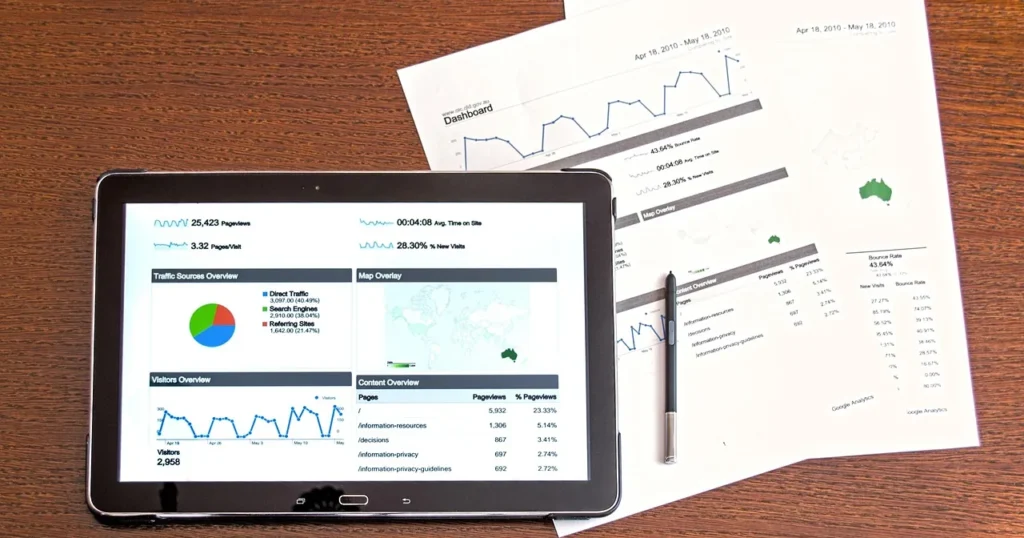
Do not judge WhatsApp marketing by messages sent. According to Meta’s marketing message metrics documentation, you can see sent, delivered, read and link-button clicks, plus conversion metrics such as add to cart, checkout initiated, purchase and purchase value, provided you send those events through Meta Pixel or the Conversions API. Setting up that tracking properly is a topic of its own in our conversion-tracking article.
| Metric | What it tells you | When to worry |
|---|---|---|
| Delivery rate | How healthy your list is | Sudden drops: stale numbers or restrictions |
| Read rate | Whether the message was expected and well timed | Low read rates hurt template quality |
| Click rate | Strength of the offer and button | Read but not clicked: wrong offer for the segment |
| Blocks and opt-outs | How intrusive you are | Any spike after a specific campaign |
| Revenue per delivered message | Real return | Below the cost of the message plus provider fee |
Add UTM parameters to every link in your templates so Google Analytics shows what WhatsApp brings in. Then compare WhatsApp marketing revenue against messaging cost the way you would for ads; the logic is the same as in our ROAS guide. Judge utility messages differently: fewer “where is my order?” questions and fewer COD refusals.
Common WhatsApp marketing mistakes and how to fix them
1. Messaging a list without consent
Fix: start again with a clean list. Ask for consent by email or on your site, not over WhatsApp itself, and keep a record of every opt-in.
2. Using the Business app to blast thousands of numbers
Fix: the app is designed for one-to-one chats. Once you grow, move to the platform for approved templates, published limits and reporting.
3. Putting an offer inside a utility message
Fix: split them. The shipping message is for shipping only; the offer goes in a marketing template to people who opted in to offers.
4. Long messages with no clear button
Fix: two or three lines and one button with a clear action, such as “Track parcel” or “Order now”.
5. Bots with no human behind them
Fix: the policy requires a route to a person. Add “Type AGENT to talk to our team” and state your reply hours.
6. Ignoring quality ratings
Fix: review every template’s rating and status weekly, and edit or pause anything collecting negative feedback before you lose the ability to send it.
7. Overlapping with cart-recovery flows
Fix: abandoned-cart messages have their own logic and timing, covered in our cart recovery guide. Do not send the same customer a cart reminder and a general offer on the same day.
Pre-launch WhatsApp marketing checklist
- Verified business portfolio, dedicated number, display name matching the brand.
- Complete business profile with hours, store link and a support contact.
- Logged opt-in for every number, split between order updates and offers.
- Approved templates in the right category, with no offers in utility templates.
- A stop button or keyword, and a process that honours it immediately.
- UTM-tagged links and purchase events sent to Meta Pixel.
- A small test segment, with blocks and read rates checked before scaling.
- A season calendar for Ramadan, Eid and White Friday, with a cap on messages per customer.
FAQ
Is WhatsApp Business API free?
The WhatsApp Business app is free. On the platform, Meta charges for delivered template messages by category and recipient country, while replies inside the customer service window are free. A provider adds its own subscription on top.
What is the best WhatsApp marketing platform for an online store?
There is no single best option. Pick a Meta partner that integrates directly with your store platform, supports Arabic, reports reads, clicks and sales, and is transparent about any fees on top of Meta’s charges.
Can I message past customers who never opted in?
The policy requires that the person gave you their number and opted in to receive messages from you. A past purchase alone is not enough. Ask for consent through another channel first.
How many WhatsApp marketing messages can I send per day?
On the platform, new portfolios start at 250 unique users per rolling 24 hours outside the service window, and the limit rises with verification and good quality, per Meta’s documentation. Limits can change, so check WhatsApp Manager.
In WhatsApp marketing, what is the difference between a marketing and a utility template?
A utility template is non-promotional and tied to a specific customer action, such as an order or shipment. Anything with an offer or sales intent is marketing and is charged at the marketing rate.
Why did Meta pause one of my WhatsApp marketing templates?
Usually because of recurring negative feedback or low read rates. Review who you sent it to, when, and what it said, then revise it before using it again.
Does WhatsApp marketing work for small stores?
Yes, WhatsApp marketing works for small stores if you start with service messages customers actually want, such as order and shipping updates, and add offers only for people who asked for them. Start in the free app and move to the platform when volume justifies it.
In short, WhatsApp marketing pays off when it is expected and useful: clear consent, correctly categorised templates, restrained frequency, and measurement based on revenue rather than messages sent. If you want to build this channel into a wider plan for repeat purchases, see TAIF’s customer retention service.