

You run a dental clinic in Jumeirah or an online abaya store that ships across the UAE. Customers tell you they are happy, yet your Google listing shows 19 reviews while the competitor two streets away shows 600.
If you have typed “how to get Google reviews for my business” into a search bar at midnight, this guide is the practical answer: where to find your review link, when to ask, what to write, how to reply, and exactly what Google forbids.
Then there is the WhatsApp message that arrives the same week: “100 five-star reviews in 7 days, guaranteed.” We will come back to why that offer can cost you far more than its price tag.
This is not a setup guide. Creating, verifying and categorising your Business Profile is covered in our local SEO and Google Maps guide. Here we stay on one question only: how to get Google reviews for my business, honestly and steadily. Every policy point below comes from Google’s own help pages as they read in November 2026. Policies change, so check the linked pages before a big decision.
Why reviews matter before you spend on ads
A customer searching “dentist near me” in Dubai Marina or “perfume shop Deira” sees three or four businesses, each with a star rating and a review count. They compare those two numbers before they ever open your website or see your ad. That is why we treat reviews as part of conversion, and why how to get Google reviews for my business is a question to answer before you raise an ad budget.
Google’s guide to improving local ranking says prominence means how well-known a business is, and that “more reviews and positive ratings can help your business’s local ranking.” We explain the ranking factors in the Maps guide, so we will not repeat them here.
There is a third reason people forget: freshness. A profile with 300 reviews, the latest from last year, suggests a business that has slowed down. The goal is not one big spike. It is a steady flow of new reviews every month.
What Google prohibits (as of November 2026)
Before any plan for how to get Google reviews for my business, read Google Maps’ prohibited and restricted content policy. It covers all user-contributed content, reviews included. These are the clauses that matter most for a business owner, as they read in November 2026.
Fake engagement
The policy says plainly: “Fake engagement is not allowed and will be removed.” That includes reviews paid for directly or in kind. It also prohibits soliciting content that “does not represent a genuine experience.” A review from a friend who never bought from you breaks the rule, however well meant.
Incentives
Merchants may not “offer incentives – such as payment, discounts, free goods and/or services” in exchange for a review, or for removing a negative one. Google’s Business Profile help repeats this and calls it “strictly prohibited.” So “10% off your next order if you review us” breaks the policy, even without a star requirement.
Review gating
Merchants may not “discourage or prohibit negative reviews, or selectively solicit positive reviews from customers.” This is review gating: you ask “Were you happy?”, send the happy customers to Google and the unhappy ones to a private form. Plenty of reputation tools sell this feature. It is a direct breach.
Conflict of interest
Content “based on a conflict of interest” is not allowed, and the policy says a conflict “may include current or former employment, a contractual or consultory relationship.” In practice: no reviews from staff, former staff, your marketing agency or your suppliers. The policy also bans posting on a competitor’s listing to damage its reputation.
Pressure on the premises
The policy says merchants “should not require or pressure users to leave ratings or write reviews while on the premises,” and may not ask staff to collect “a certain number of reviews” or reviews with “specific content.” A monthly target of 20 reviews per receptionist that mention their name fails on both counts.
How to get Google reviews for my business: allowed or not?
| Practice | Under the policy | Why |
|---|---|---|
| Sending the review link to every customer after delivery | Allowed | Encourages genuine reviews with no incentive |
| QR code on the receipt or a thank-you card | Allowed | Google itself suggests receipts and in-store print |
| Discount or gift for a review | Prohibited | Incentive in exchange for a review |
| Asking “Were you happy?” first, then sending only happy customers | Prohibited | Selective solicitation of positive reviews |
| Reviews from staff, relatives or your agency | Prohibited | Conflict of interest |
| Buying review packages or swapping reviews in groups | Prohibited | Fake engagement, not a genuine experience |
| Standing over the customer until they post | Prohibited | Pressure on the premises |
| Review quotas for staff | Prohibited | Asking for a certain number of reviews |
Why buying reviews is a bad answer to how to get Google reviews for my business
Search suggestions in the UAE and Saudi Arabia show that people look for review sellers and review-swap groups. Every one of those services is fake engagement by Google’s definition, and every swap group is too, because the people writing have never used your business.
The penalty is not only deletion. Google’s page on Business Profile restrictions for policy violations says that after fake engagement violations it may restrict the profile. Its examples, as of November 2026, “include, but are not limited to”:
- The profile “will not be able to receive new reviews or ratings for set period of time.”
- Existing reviews or ratings “will be unpublished for set period of time.”
- The profile “will display a warning to let consumers know that fake reviews were removed.”
Picture that last one on a clinic listing. Instead of your stars, patients see a notice that the business was caught with fake reviews. The first restriction freezes all your honest effort for the duration. Google says it emails owners before applying a restriction and that businesses can appeal, but the page gives no fixed duration.
Bought reviews also look bought: new accounts, similar wording, clustered dates. Local customers often spot the pattern before Google does. You pay to lose the trust you wanted to build.
Our rule: if you could not explain a tactic out loud to someone at Google without wincing, do not use it.
How to get Google reviews for my business, step 1: the review link and QR code
The first tool in how to get Google reviews for my business is a direct link that opens the review window, so the customer does not have to search for you.
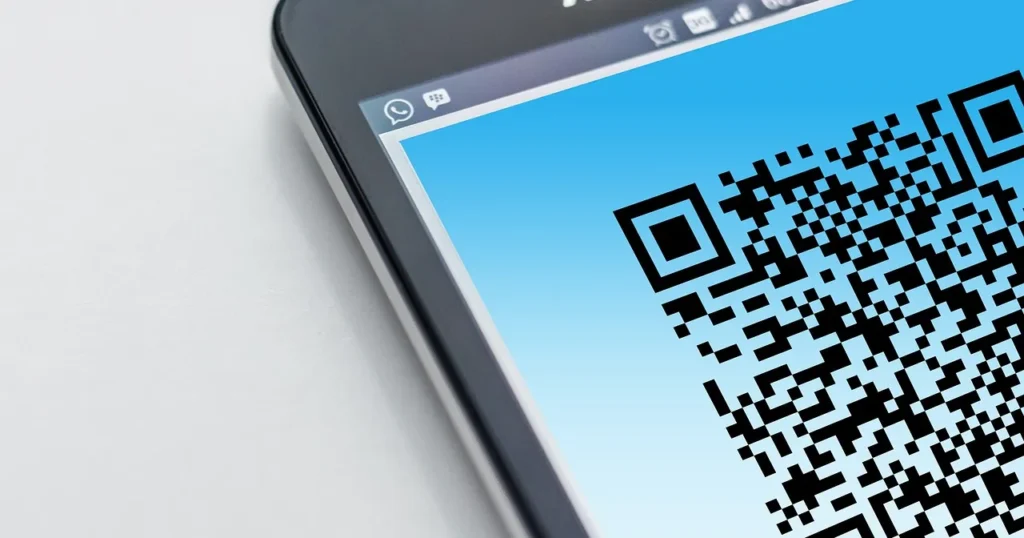
If you searched “how to get Google reviews link” or “how to get Google reviews QR code”, both come from the same screen. Google explains it on its page Create a Google link or QR code to request reviews. The steps from a computer browser, as of November 2026:
- Go to your Business Profile at business.google.com, signed in with the account that manages it.
- Select Read reviews, then Get more reviews.
- Copy the link with the Copy icon next to it.
- To download the QR code, right-click it and choose Save image as.
- From the same window you can also share the request by email, WhatsApp or a Facebook post.
Two notes from Google’s pages: review QR codes can only be generated in a computer browser, not on mobile. And customers must be signed in to a Google Account to leave a review, though Google’s read and reply to reviews page notes they can create one with a non-Gmail address.
How to get Google reviews for my business with several branches
If you have a branch in Al Barsha and another in Abu Dhabi, each has its own profile and its own link. Keep them in a simple sheet, name each one clearly, and print a separate QR code for each location.
Test before you print
Open the link on a phone that does not manage the profile and confirm it opens the right business. This takes a minute and prevents a common mistake: a thousand thank-you cards pointing to an old duplicate listing.
How to get Google reviews for my business, step 2: timing
When owners ask us how to get Google reviews for my business, the first fix is usually timing: it drives response more than wording. Ask once the thing being reviewed is complete, not before and not weeks later. These are working starting points from our practice, not Google rules:
| Business type | Best moment | Best channel |
|---|---|---|
| Online store, cash on delivery | 1 to 2 days after confirmed delivery | WhatsApp or SMS |
| Online store, prepaid | After delivery and first use | WhatsApp or email |
| Dental or dermatology clinic | Same day, after the visit | WhatsApp with the follow-up message |
| Salon or beauty centre | A few hours after the appointment | |
| Car service or repair | After collection and a test drive | WhatsApp or follow-up call |
| Restaurant or café | At payment, via QR on the bill | In-store print |
Why not ask before delivery?
Some stores add the review link to the order confirmation. The result is a review of an unfinished experience, or an angry one if the courier is late. Trigger the review message from the “delivered” status in Shopify, Salla or Zid, not from “order placed.” For more on COD flows, see our WhatsApp marketing guide.
Why not ask a month later?
Because the customer has forgotten the details and the enthusiasm. A review written on the day is more specific, and specifics are what persuade the next customer.
How to get Google reviews for my business, step 3: how to ask for Google reviews from customers
WhatsApp is the natural channel in the UAE and KSA, and Google lists it as a sharing option. If your messages are automated, set up templates and opt-ins first, then add the review request to the post-delivery sequence.
Three rules for the message
- Send it to every customer whose order or visit is complete, not only the ones you expect to be happy. This is what keeps your answer to how to get Google reviews for my business inside the policy.
- Never mention stars, never suggest wording, never attach an offer.
- One message and at most one reminder. Chasing annoys people and invites low ratings.
How to ask for Google reviews: templates
Online store: “Hi Sarah, your order from Rayhan arrived yesterday. If you have a minute, a Google review helps us and helps other shoppers decide: [link]. If anything was wrong with the order, just reply here and we will fix it.”
Clinic: “Thank you for visiting Nukhba Dental today. We would value your experience on Google: [link]. For anything about your next appointment, message us on this number.”
Notice that the last line in both does not stop a complaint from reaching Google. It opens a channel to fix problems, and the customer is free to write what they like. The difference from review gating is that everyone got the link before any satisfaction question.
Can I run a satisfaction survey first?
You can run an internal survey for customer service. You cannot make its result the condition for sending the Google link. Sending the link only to satisfied customers is the selective solicitation the policy bans, whatever tool you use.
How to get Google reviews for my business offline: other places for your link
Google’s help suggests putting the link or QR code on receipts, in thank-you emails, at the end of a chat, or printed in your store. Here is how that looks for a Gulf store or clinic:
- A thank-you card in the parcel with the QR code and a neutral line: “Your feedback helps us and helps others.” Especially useful in Ramadan and White Friday packaging.
- A small QR stand at clinic reception, not a tablet a receptionist hands over and waits beside.
- One line at the end of the post-delivery email invoice.
- The closing message of a customer-service chat, sent whether or not the issue was solved.
- The order thank-you page on your site, as a general invitation that promises nothing.
How to get Google reviews for my business for free
Searches for free review exchanges are common. “I review you, you review me” is not free: it is fake engagement with no price tag. The genuinely free method is everything above: a link, good timing, a message and a printed card. It costs almost nothing and builds a profile you never have to worry about.
Replying to reviews: what Google advises
Replies are part of how to get Google reviews for my business, because customers who see an owner reading and responding are more willing to write. Google says replying “shows that you value their feedback,” and its read-and-reply page gives clear tips, summarised here as of November 2026.
Replying to positive reviews
- Be professional and polite. Keep it short and simple.
- Avoid generic thank-yous on every review. Reply where you can share a useful update or answer a question.
- Be conversational, not promotional. Do not use replies to offer deals.
Example: “Thanks, Ahmed, for mentioning the quick delivery to Sharjah. This month we added same-day delivery within the emirate.”
Replying to negative reviews
- Never share the reviewer’s private information or make personal attacks.
- For complex issues, ask the reviewer to contact you by phone or email.
- Be honest about mistakes, but do not take responsibility for things outside your control, and explain what you can and cannot do.
- Apologise where appropriate, address the reviewer by name, and sign off with your name or initials.
- Respond promptly.
Example: “Fatima, we are sorry your order arrived three days late. We reviewed the shipment with the courier and have changed carriers for your area. Please call us on the number in our profile so we can refund the delivery fee. Omar, Customer Care.”
Google reviews for doctors and clinics
In healthcare, even confirming that someone is your patient can reveal health information. Do not mention the procedure, diagnosis or visit date in a reply, even if the patient did. Write a general reply that invites direct contact. A dedicated guide to dental clinic marketing is coming soon; meanwhile see our medical marketing service.

Arabic or English?
Reply in the reviewer’s language. In Dubai you will see reviews in English, Arabic and sometimes Urdu or Russian. In Riyadh and Jeddah most are in Arabic. Answering in the customer’s language shows a person actually read it.
How to get Google reviews removed: what is possible
“How to get Google reviews removed” is one of the most common searches after a harsh review. The short answer: you cannot remove a review for being negative. Google’s page on reporting inappropriate reviews says reviews that do not violate policy are not eligible for removal, and that Google does not intervene in disputes between businesses and customers.
What you can report is content that actually breaks the policy: spam, profanity, a competitor’s attack, or content not based on a real experience.
Two ways to report
- From your Business Profile: open Read reviews, click the report icon next to the review, choose a reason, then Send report.
- From the Reviews Management Tool: select your business, choose Report a new review for removal, click Report next to the review, choose a reason and submit.
Status and appeals
The tool shows one of three statuses: Decision pending, Report reviewed with no policy violation, or Escalated. Google says evaluation “typically takes several days.” If a report is rejected you can submit a one-time appeal, selecting up to 10 reviews. If the review violates policy it is removed; otherwise it stays live.
What to do with a genuine negative review
Reply as above, fix the cause, and keep asking your normal customers. One negative review among fifty recent ones does not worry readers; it makes the profile look real. The real problem is when it is the latest review because you stopped asking.
How to get Google reviews for my business: common mistakes and fixes
- One campaign, then silence. A hundred reviews in a week and nothing for six months is an unnatural pattern. Fix: make the request a permanent step after every delivery.
- A wrong or outdated link. Fix: retest from another phone after any profile change.
- Team reviews at launch. Asking staff and relatives to “get the profile started” is a clear conflict of interest. Fix: start with your first twenty real customers and message them personally.
- A discount card next to the review QR in the parcel. Even unlinked, customers read it as a reward. Fix: send offers and review requests at different times.
- Ignoring old reviews. Fix: block thirty minutes a week for replies, negatives first.
- One copy-paste reply for everything. Fix: add one personal sentence referencing what the customer said.
- A tool that filters out unhappy customers. Fix: switch the feature off and send the link to everyone.
- Arguing in public. Fix: correct facts once, calmly, and move the conversation to a private channel.
How to get Google reviews for my business in the UAE and Saudi Arabia
Cash on delivery changes the timing
For Gulf stores, how to get Google reviews for my business starts with the delivery status. A large share of Gulf orders are paid on delivery, and some are refused at the door. Send the review link only after “delivered and paid.” The customer who received and paid is the one whose opinion you want.
Seasons multiply volume
Ramadan, Eid, the Dubai Shopping Festival and White Friday push order volumes up, and automated review requests scale with them, so plan how to get Google reviews for my business around the season calendar. Prepare your reply rota before the season, because twenty unanswered reviews in one week are visible to everyone.
A multilingual audience in Dubai
In Dubai, the answer to how to get Google reviews for my business depends on language: send the request in Arabic and English, or in the language of the order. In Riyadh and Jeddah, clear Arabic close to everyday speech tends to get a better response than formal phrasing, in our experience.
Clinics and regulators
Google reviews for doctors and dentists need extra care. Clinics in Dubai, Abu Dhabi and Riyadh fall under advertising and health rules from their licensing authorities. Do not reuse patient reviews in ads or on landing pages without checking the rules that apply to you, and never publish anything that identifies a patient.
Measuring how well your review plan works
The test of any plan for how to get Google reviews for my business is the trend, not the star average. Review these numbers monthly from your profile:
- New reviews this month compared with completed orders or visits.
- Average rating of new reviews only, not the all-time figure.
- Share of reviews you replied to, and your average reply time.
- Recurring themes in negative reviews: delivery, waiting time, pricing.
The last one matters most. Reviews are free research on your customer experience. If late delivery keeps coming up, fixing delivery will lift your rating more than any message. To measure the profile’s effect on visits and sales, see our conversion tracking guide.
Checklist: how to get Google reviews for my business the right way
- Review link copied from the correct profile and tested on another phone.
- QR code downloaded on a computer and printed per branch.
- Automated WhatsApp message triggered by “delivered” or “visit completed.”
- The link goes to every customer, with no satisfaction question before it.
- No discount, gift or prize draw tied to reviews.
- No reviews from staff, relatives, suppliers or your agency.
- No review quotas for staff.
- Thirty minutes a week for replies, in the reviewer’s language, with no private data.
- Only policy-violating reviews reported through the Reviews Management Tool.
- A monthly look at the numbers and recurring themes.
- A one-page written process for how to get Google reviews for my business that any new staff member can follow.
Conclusion
The honest answer to how to get Google reviews for my business is an operating habit, not a trick: a correct link, a well-timed request sent to every customer, respectful replies, and fixing what reviews reveal. Shortcuts such as buying, incentives and swaps can put a warning on your profile that every customer sees. If you want this built into a full local search plan, see our SEO service or contact us.
FAQ: how to get Google reviews for my business
How to get Google reviews for my business fast without breaking the rules?
Send your review link to every customer whose order or visit completed in recent months, with one personal message, then make the request a permanent step for every new order. Speed comes from volume and consistency, not from outside sources.
How to get Google reviews for my business without a shop front?
Service-area businesses and online stores use the same link and QR code. Send it after delivery or after the job is done, and put the QR on the thank-you card in the parcel.
How to get Google reviews link and QR code for my profile?
On a computer, open your Business Profile, select Read reviews, then Get more reviews. Copy the link or save the QR image. Google says review QR codes cannot be generated on mobile.
Can I offer a discount as part of how to get Google reviews for my business?
No. Discounts, gifts and free services in exchange for reviews are prohibited by the Maps content policy and Google’s Business Profile help, even without a star requirement.
Is buying a safe answer to how to get Google reviews for my business?
Google removes fake engagement and may restrict the profile: blocking new reviews for a set period, unpublishing existing reviews, or showing customers a warning that fake reviews were removed.
How to get Google reviews removed if they are unfair?
You can only get reviews removed if they violate policy. Report them from your profile or the Reviews Management Tool, and use the one-time appeal if the report is rejected. Negative but genuine reviews stay.
Can my employees review my business?
No. The policy treats content based on a conflict of interest as not allowed and lists current or former employment and contractual relationships as examples.
Does replying help with how to get Google reviews for my business?
Google says replies show you value feedback and that positive reviews and helpful replies help a business stand out. Customers who see real replies are also more willing to write their own.